AI Assistant
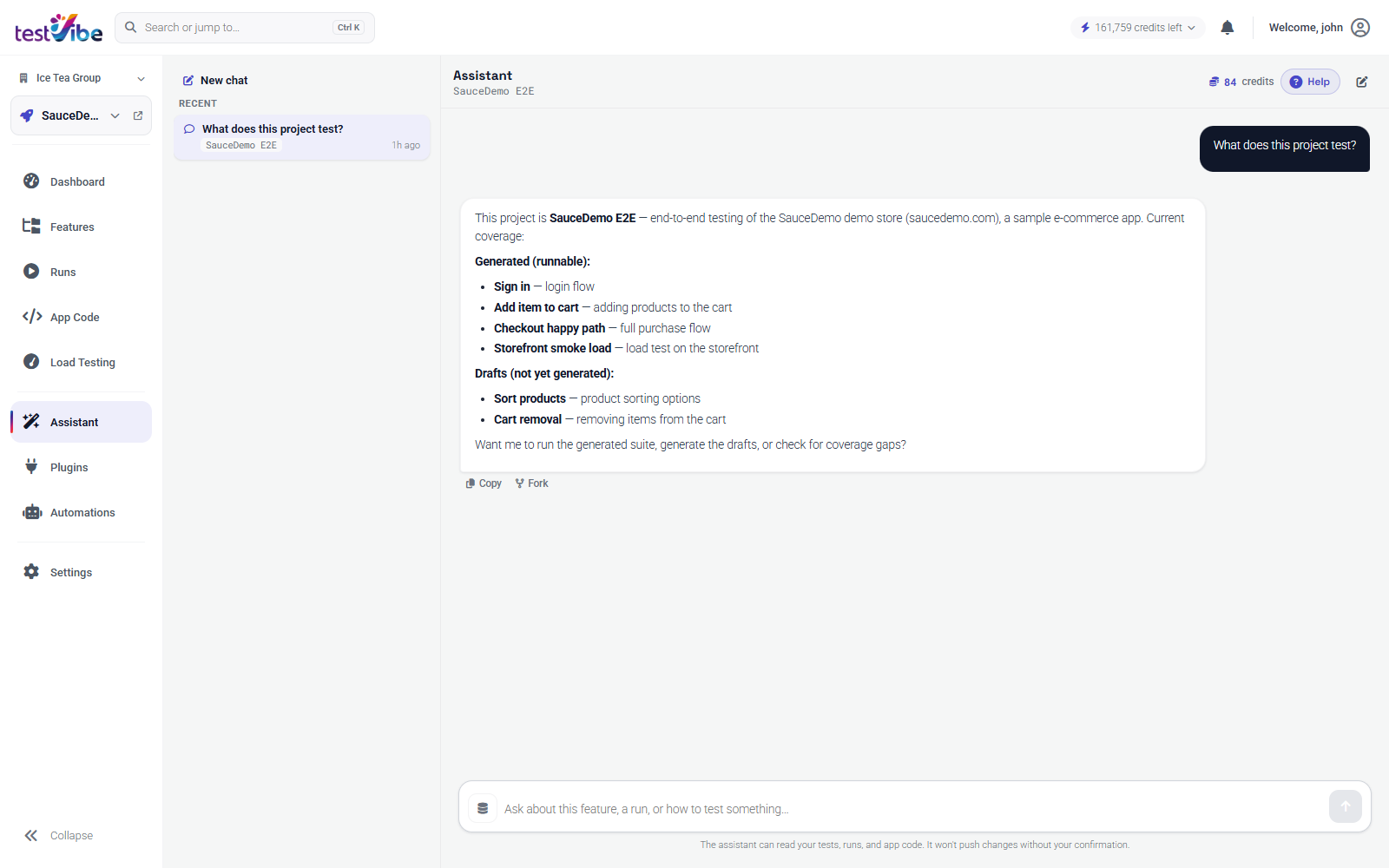
The Assistant is a project-aware chat, reached from the navigation rail. It can explain a feature, improve Gherkin, generate test code, explore your app and propose new tests, triage a failing run, and navigate you to the right view. Conversations are saved per project, so you can return to earlier threads from the list rail.
Ways To Reach It
| Entry point | What it does |
|---|---|
| Navigation rail → Assistant | Opens the conversation list and the active chat. |
| Search bar → "Ask assistant" | Sends whatever you typed in the command bar (Ctrl/Cmd+K) as a new conversation. |
| ✨ Suggestions menu → Explore my app and suggest tests | The Assistant drives a real cloud browser against your site and proposes ready-to-run tests. See below. |
| Per-view Ask AI buttons | Runs, Features, and Load results each have an Ask AI button that seeds a conversation with a data-rich summary of the selected run, feature, or load result. |
| Debug with AI | On a failed test result, opens the trace viewer with a docked assistant that diagnoses the failure and can fix the test or open a source-code pull request. |
| Fix with assistant | From a failing test result, opens a guided flow that reproduces the failure and proposes a fix. |
Explore Your App And Suggest Tests
"Explore my app and suggest tests" is not a list of ideas — every proposed test is already written and has passed a real verification run before it's suggested. Accepting one keeps a ready-to-run test; it does not trigger a fresh generation.
- Behaviors are proposed as soon as they're verified, not saved up until the whole session finishes. A validation dialog, an empty-search state, or a "no results found" screen is proposed on its own, with the same priority as a happy-path flow.
- If a session is cut short — it ran out of time or was interrupted — TestVibe keeps everything it already verified instead of discarding the session, and offers a one-click Continue exploring card so you can pick up where it left off.
What To Ask
- "Why did run #25 fail?" — the Assistant reads the run's results and evidence.
- "Tighten the scenarios in NewFeature.feature" — it can propose Gherkin edits.
- "Summarize load test run #31" — or use the Ask AI button on the load result for the same thing with the data pre-attached.
- "Explore my app and suggest tests" — see above.
Tips
- Quick actions on the empty chat state (grouped under Discover / Generate / Diagnose / Scale & automate) cover the most common starting points.
- Seeded conversations (Ask AI, per-view buttons, quick actions) render as a compact card — an icon, a one-line summary, and a "Show full prompt" link — instead of the raw instruction text. The Assistant still receives the full prompt; the card just keeps the transcript readable. Click "Show full prompt" if you want to edit and resend it to steer the analysis.
- The Assistant works against the currently selected project; switch projects from the header first if needed.