> For the complete documentation index, see [llms.txt](https://docs.testvibe.com/llms.txt). Markdown versions of documentation pages are available by appending `.md` to page URLs; this page is available as [Markdown](https://docs.testvibe.com/skills.md).

# Plugins

Plugins add steps you can call from Gherkin. Install one, then use its keywords in any feature — assert with an LLM, seed a database, file a Jira issue when a test fails, post results to Slack, or compare visual snapshots. Plugins live in the **Plugins** section of the navigation rail.

> This area was previously documented as "Skills" — same surface, current product name is Plugins. Existing links keep working.
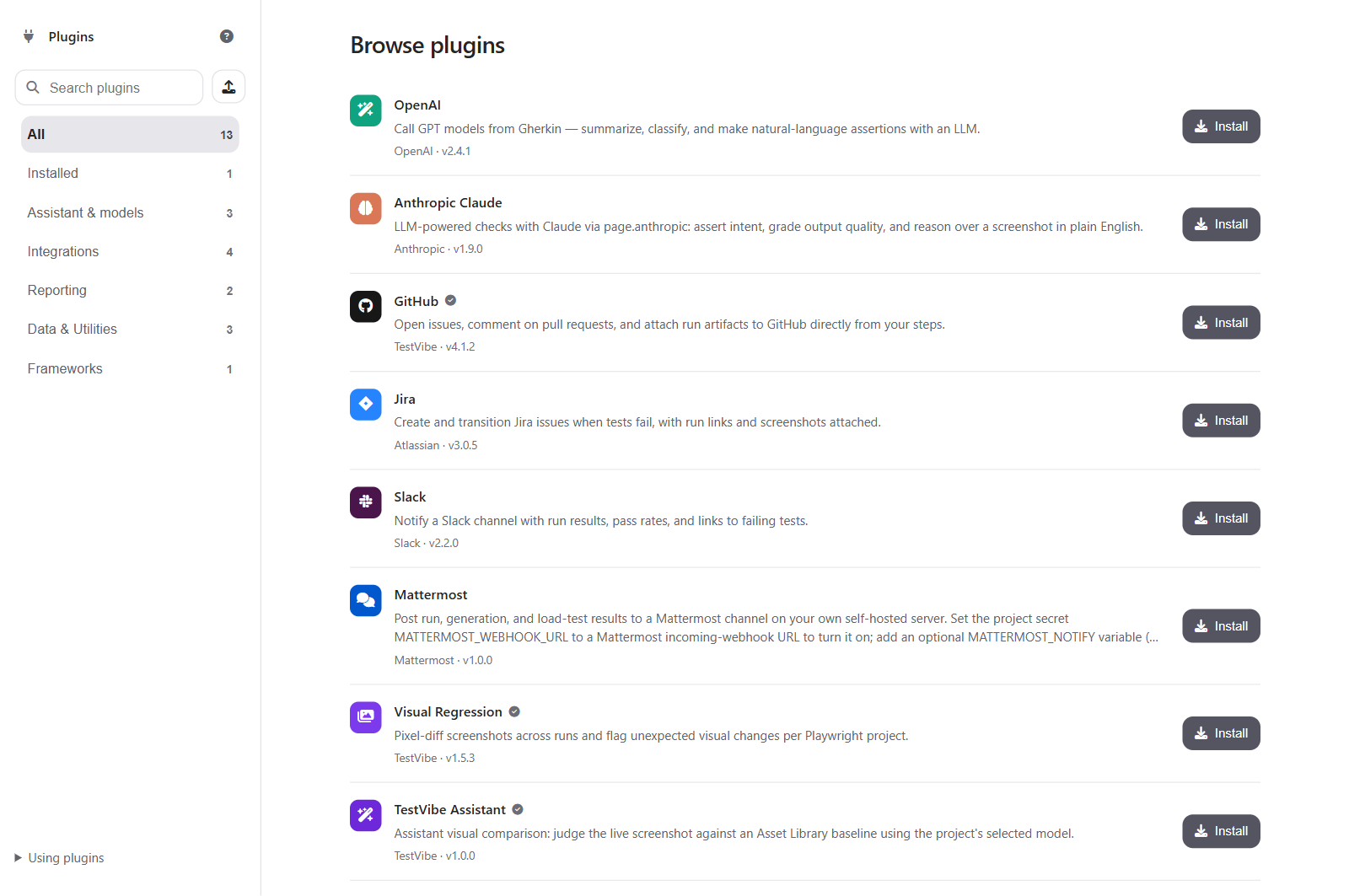
![The Plugins marketplace](/files/XaO88nbsch7bb0D5i6EP)

## What You Can Do

| Task                            | Use it for                                                                                                                                                                            |
| ------------------------------- | ------------------------------------------------------------------------------------------------------------------------------------------------------------------------------------- |
| Browse the catalog              | Search and filter by category — AI & LLMs, Integrations, Reporting, Data & Utilities.                                                                                                 |
| Install a plugin                | Make its steps available to every feature in the project. An install **persists** — it stays installed across reloads and for every teammate on the project until someone removes it. |
| Configure secrets and variables | Provide API keys or service URLs a plugin needs, without hard-coding them in test files.                                                                                              |
| Publish a plugin                | Share your own packaged steps from the upload action in the rail.                                                                                                                     |

## The Catalog

TestVibe ships with roughly 14 built-in plugins. All of them are visible and installable from the catalog — nothing is hidden.

| Plugin             | Category         | What it does                                                                                                                                                                                                                                                  |
| ------------------ | ---------------- | ------------------------------------------------------------------------------------------------------------------------------------------------------------------------------------------------------------------------------------------------------------- |
| OpenAI             | AI & LLMs        | Call GPT models from Gherkin — summarize, classify, and make natural-language assertions.                                                                                                                                                                     |
| Anthropic Claude   | AI & LLMs        | LLM-powered checks with Claude — assert intent, grade output quality, and explain failures in plain English.                                                                                                                                                  |
| TestVibe Assistant | AI & LLMs        | AI-powered visual comparison — judges a live screenshot against an Asset Library baseline using your project's model. See [Visual comparison plugins](/skills/manage-skills.md#visual-comparison-plugins-visual-regression-and-testvibe-assistant) below.     |
| Visual Regression  | Reporting        | Pixel-diffs screenshots across runs against a baseline stored in your Asset Library, and flags unexpected visual changes. See [Visual comparison plugins](/skills/manage-skills.md#visual-comparison-plugins-visual-regression-and-testvibe-assistant) below. |
| GitHub             | Integrations     | Open issues, comment on pull requests, and attach run artifacts directly from your steps.                                                                                                                                                                     |
| Jira               | Integrations     | Create and transition Jira issues when tests fail, with run links and screenshots attached.                                                                                                                                                                   |
| Slack              | Integrations     | Notify a Slack channel with run results, pass rates, and links to failing tests.                                                                                                                                                                              |
| Mattermost         | Integrations     | Notify a Mattermost channel with run results — the same idea as the Slack plugin.                                                                                                                                                                             |
| MailSlurp          | Integrations     | Read one-time codes, magic links, and SMS codes delivered to disposable test inboxes and numbers — for testing email/SMS verification flows.                                                                                                                  |
| Sentry             | Reporting        | Link runtime errors captured during a run to the failing test, for faster triage.                                                                                                                                                                             |
| Faker              | Data & Utilities | Generate realistic, randomized test data — names, emails, addresses — inside your steps.                                                                                                                                                                      |
| REST Client        | Data & Utilities | Call HTTP APIs and assert responses as steps — verify the backend alongside the UI.                                                                                                                                                                           |
| Wisej.NET          | Data & Utilities | Drive Wisej.NET framework controls (combo boxes, trees, data grids, date pickers, ribbon buttons) reliably.                                                                                                                                                   |
| PostgreSQL         | Data & Utilities | Listed in the catalog as a database helper. Database-specific steps for seeding and asserting state currently target SQL Server rather than PostgreSQL — check the plugin's detail page for what's actually wired up before relying on it.                    |

## Related Help

* [Manage plugins](/skills/manage-skills.md)
* [Add API keys and secrets](/workspace/add-api-keys-and-secrets.md)
* [Gherkin and feature files](/create-tests/gherkin-and-feature-files.md)


---

# Agent Instructions
This documentation is published with GitBook. GitBook is the documentation platform designed so that both humans and AI agents can read, navigate, and reason over technical content effectively. Learn more at gitbook.com.

## Querying This Documentation
If you need additional information that is not directly available in this page, you can query the documentation dynamically by asking a question.

Perform an HTTP GET request on the current page URL with the `ask` query parameter, and the optional `goal` query parameter:

```
GET https://docs.testvibe.com/skills.md?ask=<question>&goal=<endgoal>
```

`ask` is the immediate question: it should be specific, self-contained, and written in natural language.
`goal` is optional and describes the broader end goal you are ultimately trying to accomplish on behalf of the user. GitBook uses it to tailor the answer towards what is most useful for that goal.

The response will contain a direct answer to the question and relevant excerpts and sources from the documentation.

Use this mechanism when the answer is not explicitly present in the current page, you need clarification or additional context, or you want to retrieve related documentation sections.
